
Know when a webpage changes
Monitor a selected section or an entire public webpage for price, content and availability changes. Choose a schedule and receive an email when a check detects a change.
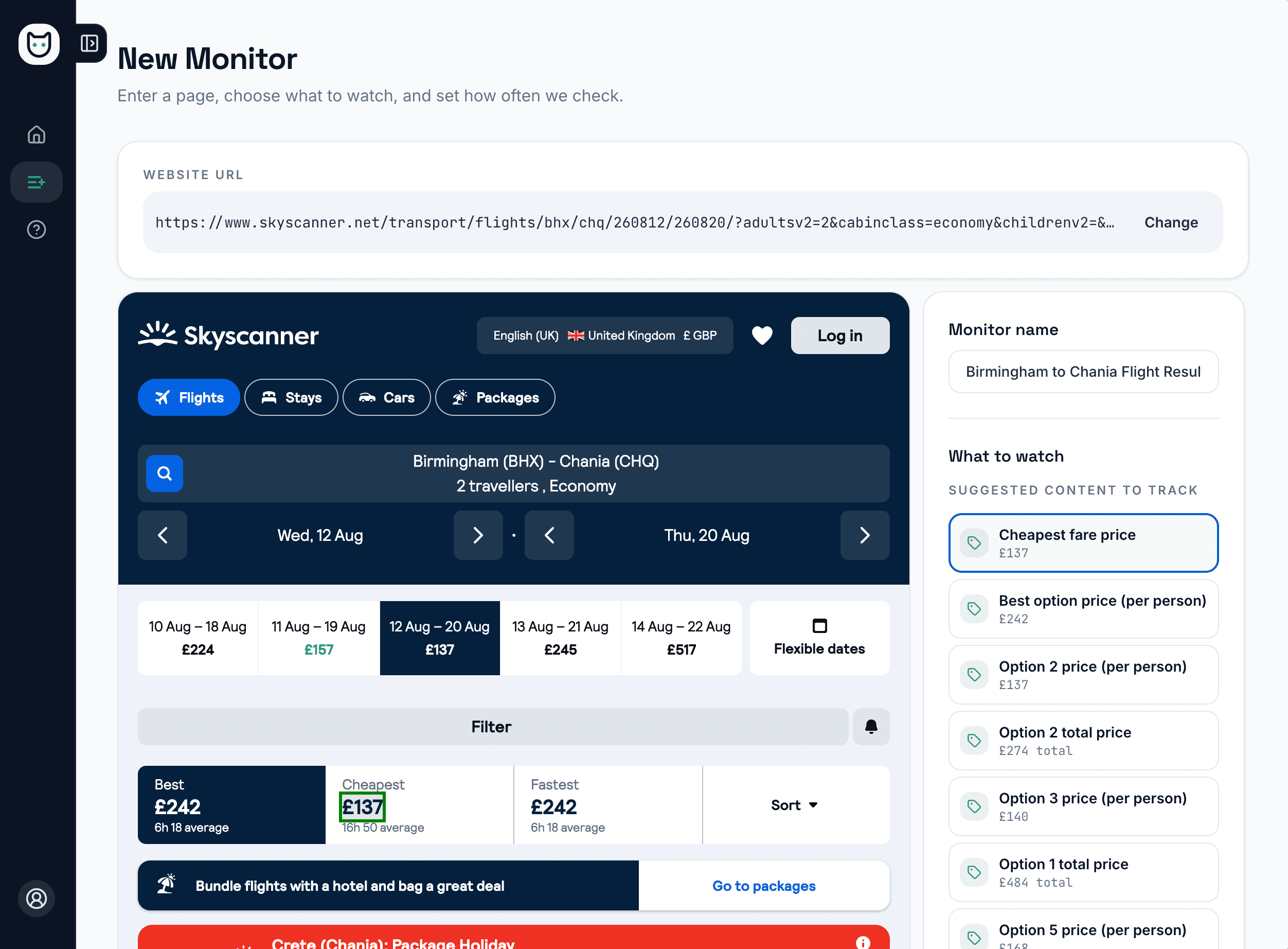
Paste a URL. MonitorCat highlights what to watch.
No CSS selectors, no guesswork. MonitorCat opens the page in a real browser, highlights what is worth monitoring and pre-fills the monitor name — so you are set up in a couple of clicks.
Smart suggestions
MonitorCat highlights what is worth tracking on the page — the price, title, stock and more.
Or select it yourself
Prefer to choose? Click the exact element on the rendered page. No CSS selectors.
Named automatically
Your monitor is named from the page, so your list stays readable without manual tidying.
What MonitorCat can monitor
Track a price, one section, a whole page or page availability. Every monitor includes scheduled checks, email alerts and recent history.
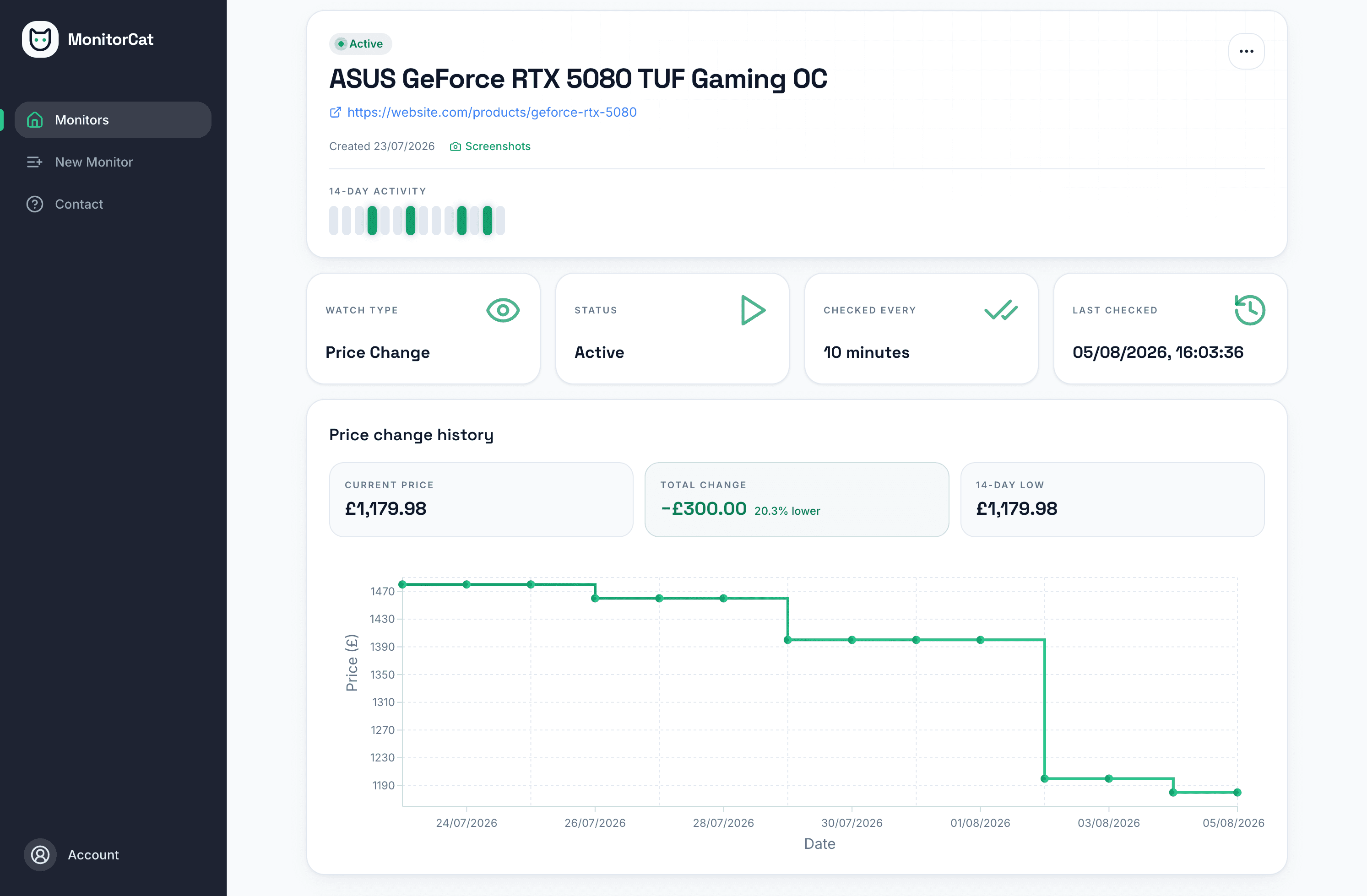
Price changes
Select a displayed price and build a history from successful scheduled checks.
Explore featureSelected content
Watch one text or HTML element without reacting to unrelated page edits.
Explore featureWhole-page changes
Compare the text or HTML across an entire public page and catch changes wherever they appear.
Explore featurePage availability
Record simple up and down observations for an important public webpage.
Explore featureUp and running in three steps
Add your URL
Enter the URL of a publicly accessible webpage you want to monitor.
Choose what to monitor
MonitorCat suggests what to track, or click the element yourself: a price, a content section, a whole page or page availability.
Set the schedule
Choose a check interval. MonitorCat records each run and emails you when a scheduled check detects the configured change.
Useful for individuals and small teams
Business Monitoring
Track competitor prices, follow service changes, and receive scheduled email alerts without revisiting every page.
Explore this use caseSmart Shopping
Monitor the retailer's product page directly, even when it offers no price alert. Get an email when the selected price changes.
Explore this use caseContent Updates
Watch selected text on public pages for policy, listing or service updates, without checking each page manually.
Explore this use caseSimple plans, clear features
Set a schedule, let MonitorCat check the page and receive an email when it detects the change you configured. Recent history gives you a clear record to come back to.
About MonitorCat and its approach- Start with 1 active monitor on the free plan.
- Choose intervals from 10 minutes to 24 hours, subject to plan limits.
- Receive email notifications when scheduled checks detect configured changes.
- Checks run in a real browser, so JavaScript-heavy and bot-protected pages still load.
- Pages behind a login or showing personalised prices remain out of scope.
Start monitoring a webpage today
Monitor a public webpage on a schedule and receive email alerts when the selected price or content changes.
Try It Free