
Paste a URL. MonitorCat highlights what to watch.
MonitorCat highlights exactly what to monitor — the price, the title, stock and more. Accept a suggestion or click the element yourself. No CSS selectors, no guesswork.
The hardest part of monitoring, done for you
Most page monitors make you hunt through a page's markup and write a CSS selector to point at the thing you care about. MonitorCat does that for you: it opens the page in a real browser, highlights which elements matter, and lets you confirm with a click.
The result is a monitor set up in a couple of clicks — even on a busy product page — with a sensible name already filled in.
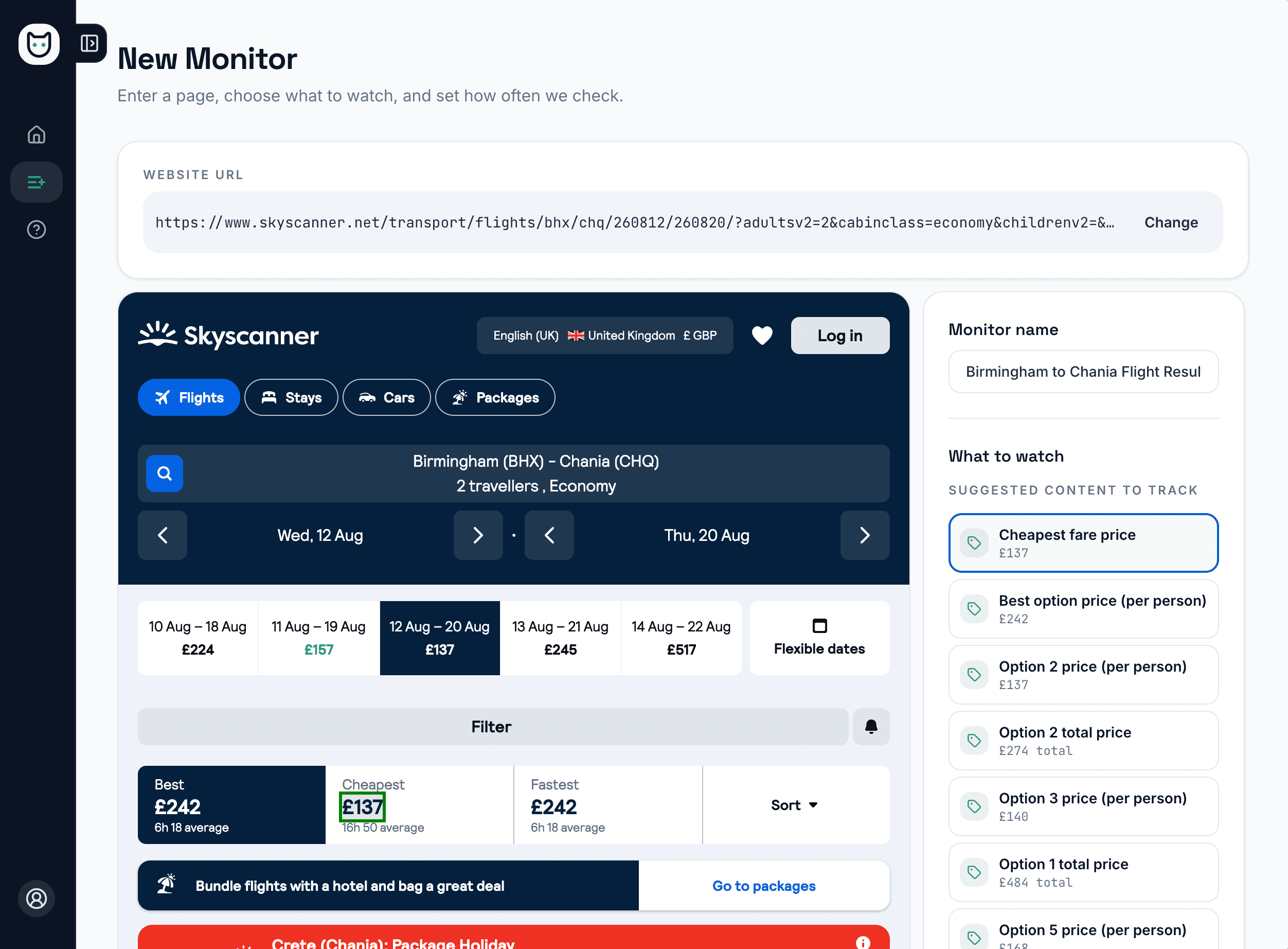
From URL to monitor in four steps
Paste a URL
Enter the public page you want to watch. MonitorCat loads it in a real browser, exactly as a visitor sees it.
Review the suggestions
MonitorCat highlights the elements worth monitoring — price, product title, rating, stock status and more.
Pick or click
Accept a suggestion, or click any element on the rendered page yourself. There are no CSS selectors to write.
Confirm and go
The monitor name is pre-filled from the page, so you can set a schedule and start monitoring straight away.
Guided setup, not guesswork
Smart element suggestions
MonitorCat highlights what to track — price, title, description, rating, review count, stock status and more — with the useful choice usually first.
Click-to-select on a live page
The page renders inside setup so you can click the exact element you care about, with the current selection highlighted. No developer tools or selector syntax.
Auto-named monitors
Your monitor is named from the page automatically, so a list of monitors stays readable without manual tidying.
Re-finds moved elements
Each selection is stored several ways, so MonitorCat can locate it again on later checks — and get help relocating it if the page is redesigned.
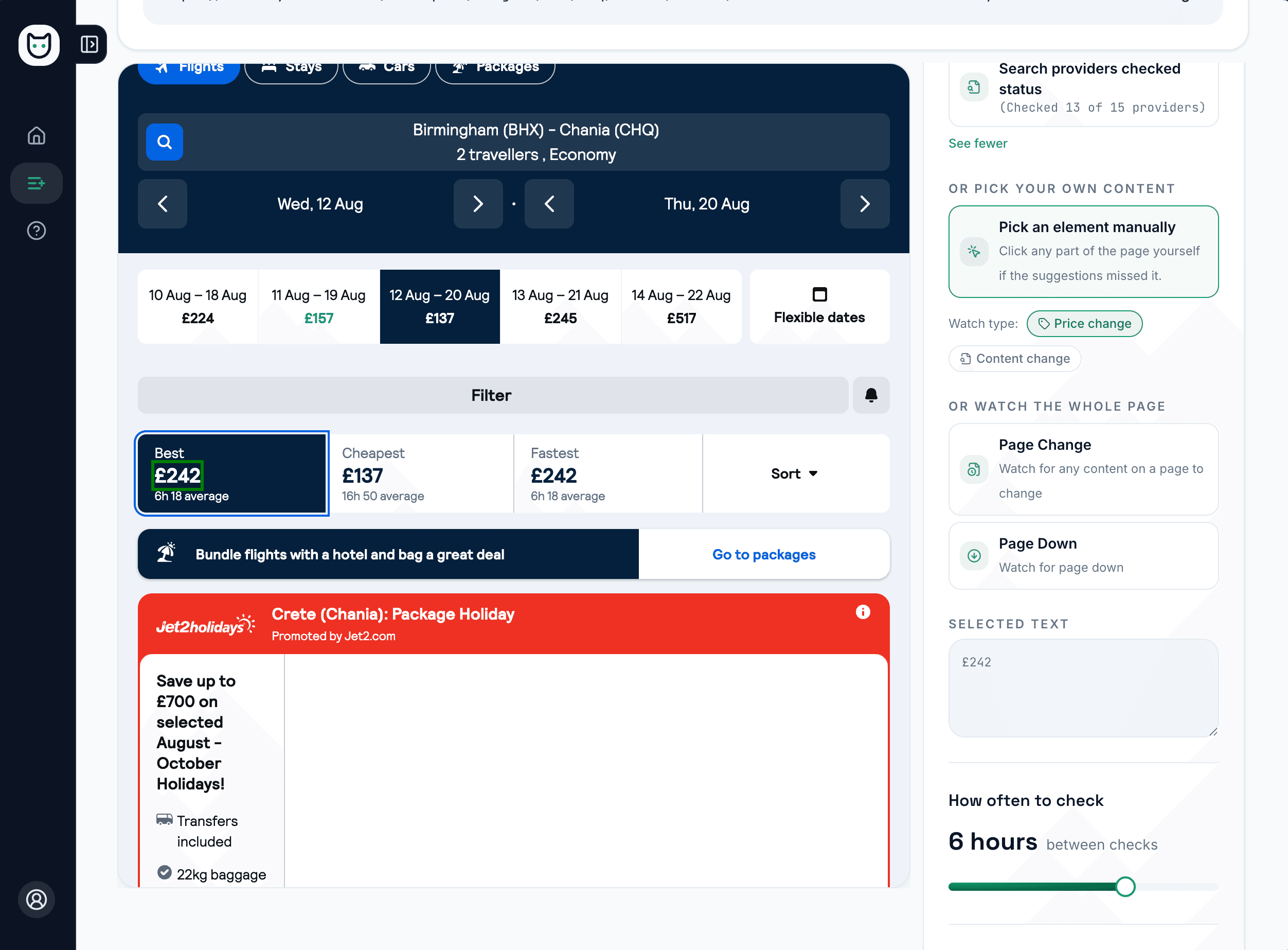
Prefer to choose it yourself? Just click.
If you would rather pick the target by hand, the page renders inside setup so you can click the exact price, paragraph or status you want to follow. Your selection is highlighted, and MonitorCat remembers how to find it again on future checks.
- Works on the page as a visitor sees it
- No CSS selectors or developer tools
- Selection highlighted so you can confirm it
Good to know
Suggestions are a starting point you can always override, and they work best on public pages MonitorCat can load. You stay in control: nothing is monitored until you confirm the element and start the monitor.
Then choose what to monitor
Start monitoring a webpage today
Monitor a public webpage on a schedule and receive email alerts when the selected price or content changes.
Try It Free